Cart Mode in One-Step and Two-Step Order Forms
Cart Mode allows people to purchase multiple products through an order form.
How To Set Up Cart Mode:
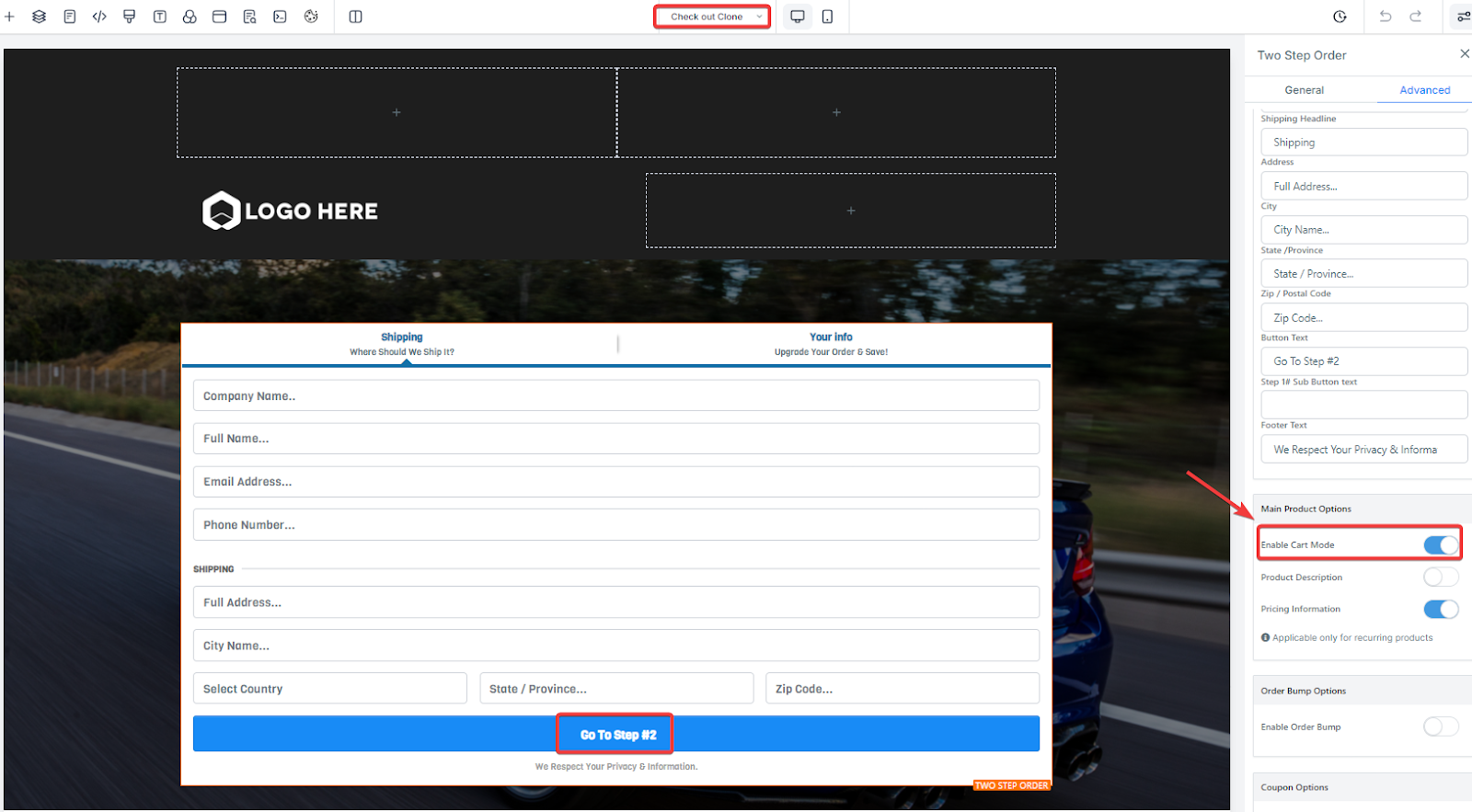
Step One: Navigate to your Funnel or Site
- Open the Funnel where you have your checkout (One-Step or Two-Step)

- Click anywhere on the checkout feature
- On the left-hand side, the editing sidebar will open
- Toggle on the "Enable Cart Mode" option to enable selling multiple products in a single order
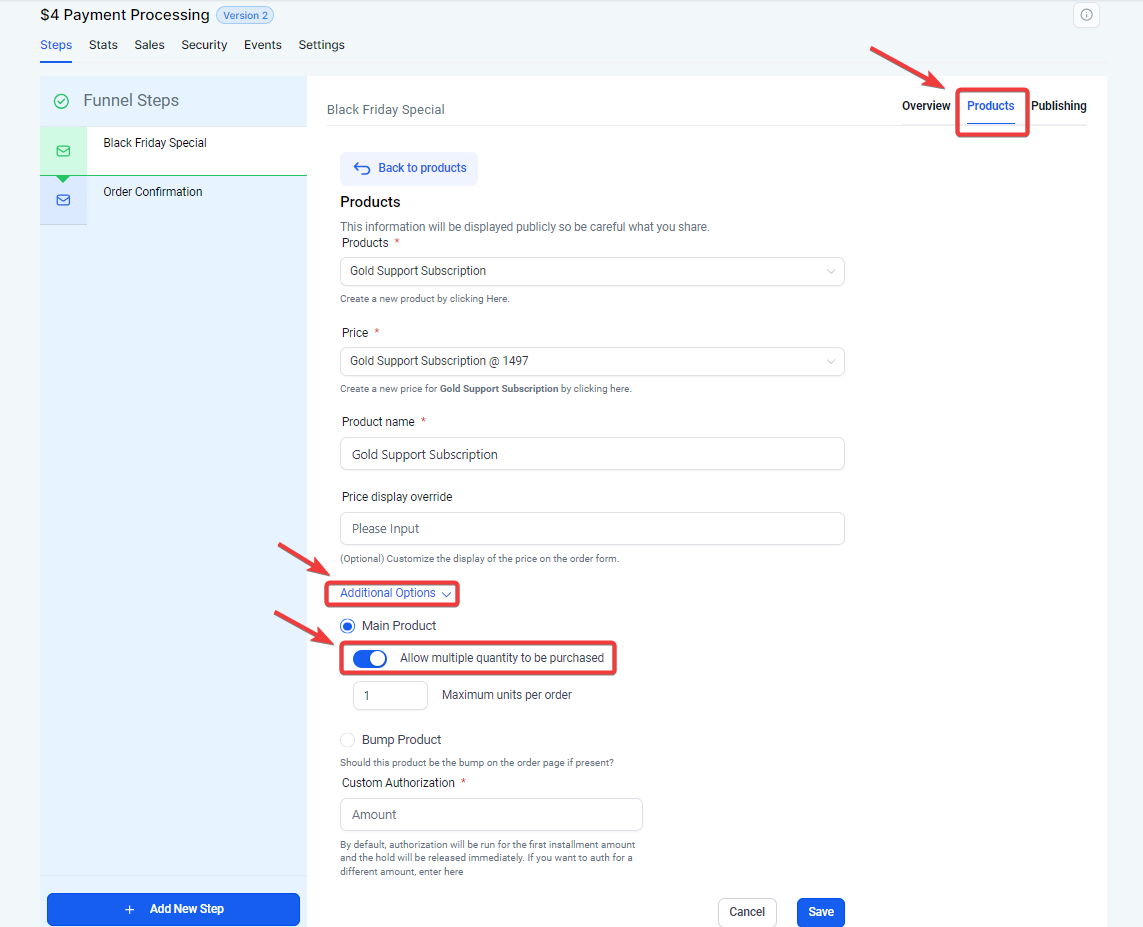
Step 2: Limit how many of a product someone can order
- Go back to the Funnel Overview
- Click on Products
- Click the dropdown menu and select the product you want to set a limit for
- Click on additional options
- Scroll down and toggle on “Allow multiple quantity to be purchased”
- Save