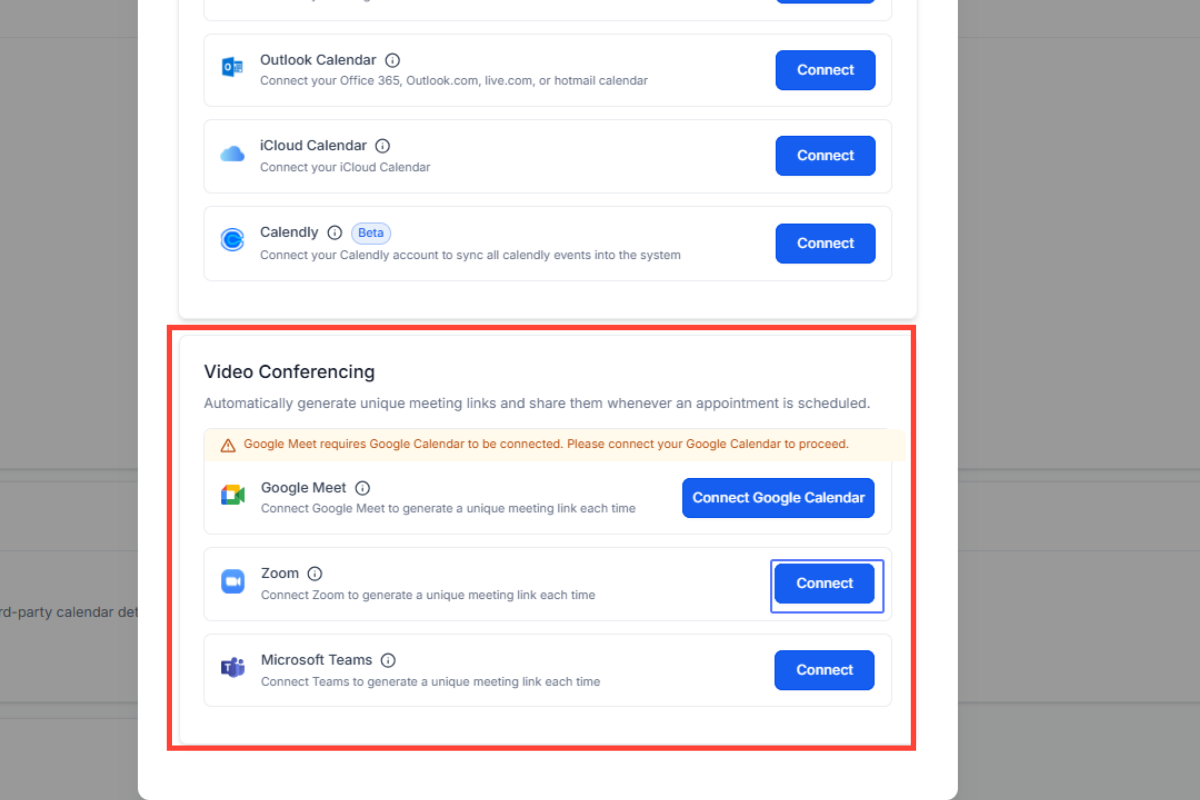
This guide provides a step-by-step process for connecting your third-party calendars and video conferencing tools to your GoHighLevel account. Integrating these tools streamlines appointment scheduling, availability checks, and meeting link generation. Screenshots are provided for each step to ensure a smooth integration process.
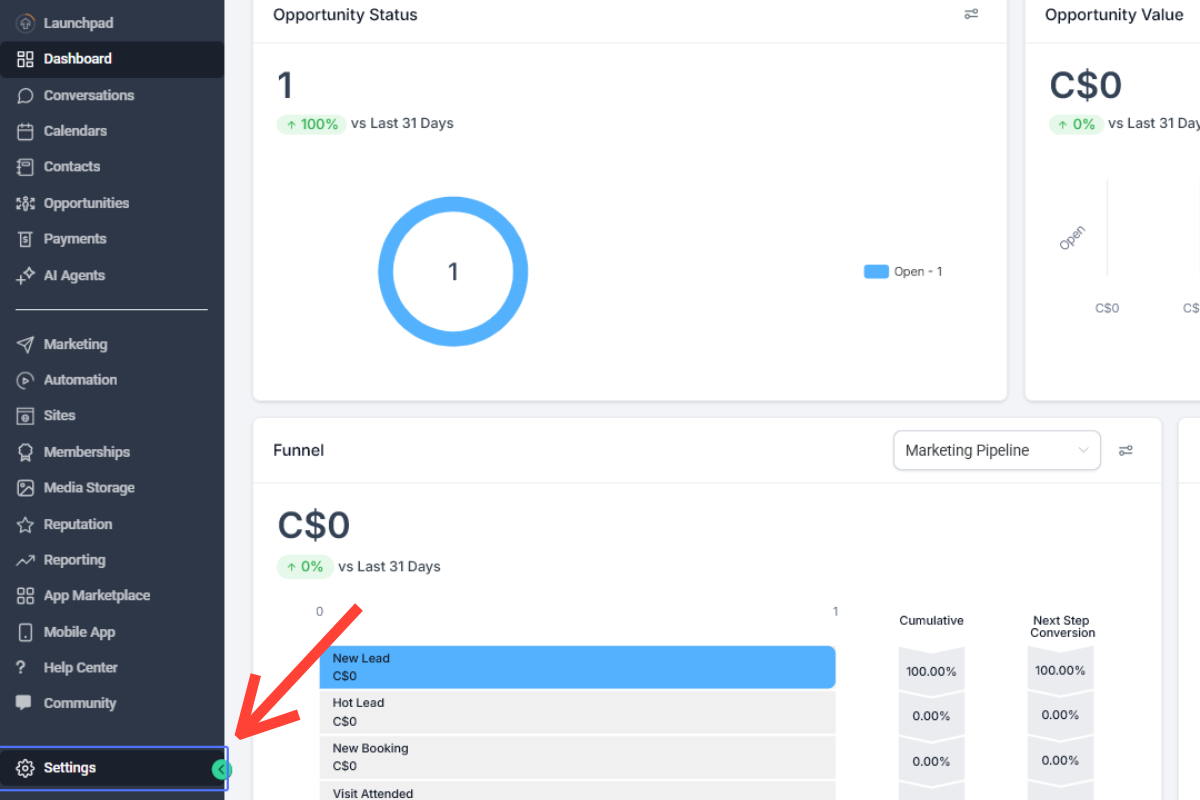
Step 1: Click on “Settings”
Step 2: Click on “My Profile”
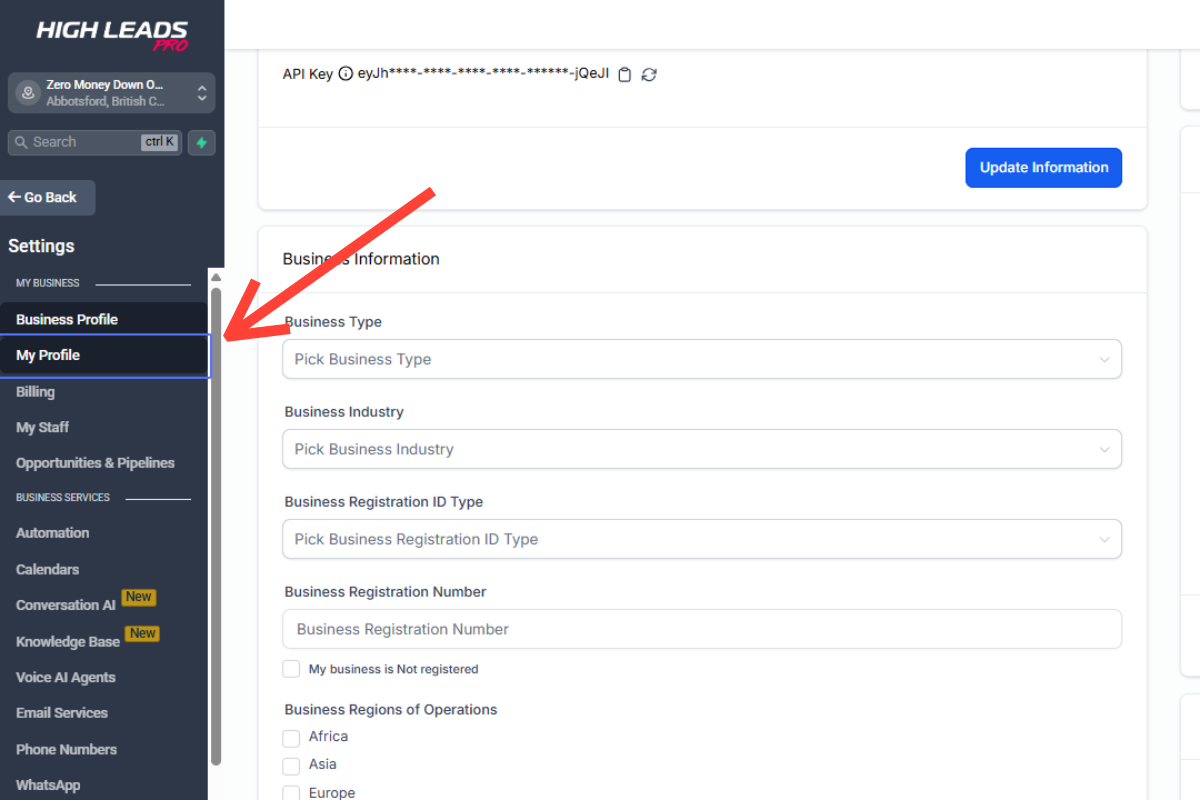
Tab Name: GHL
Step 3: Scroll to “Calendar Settings” and click “+ Add New”
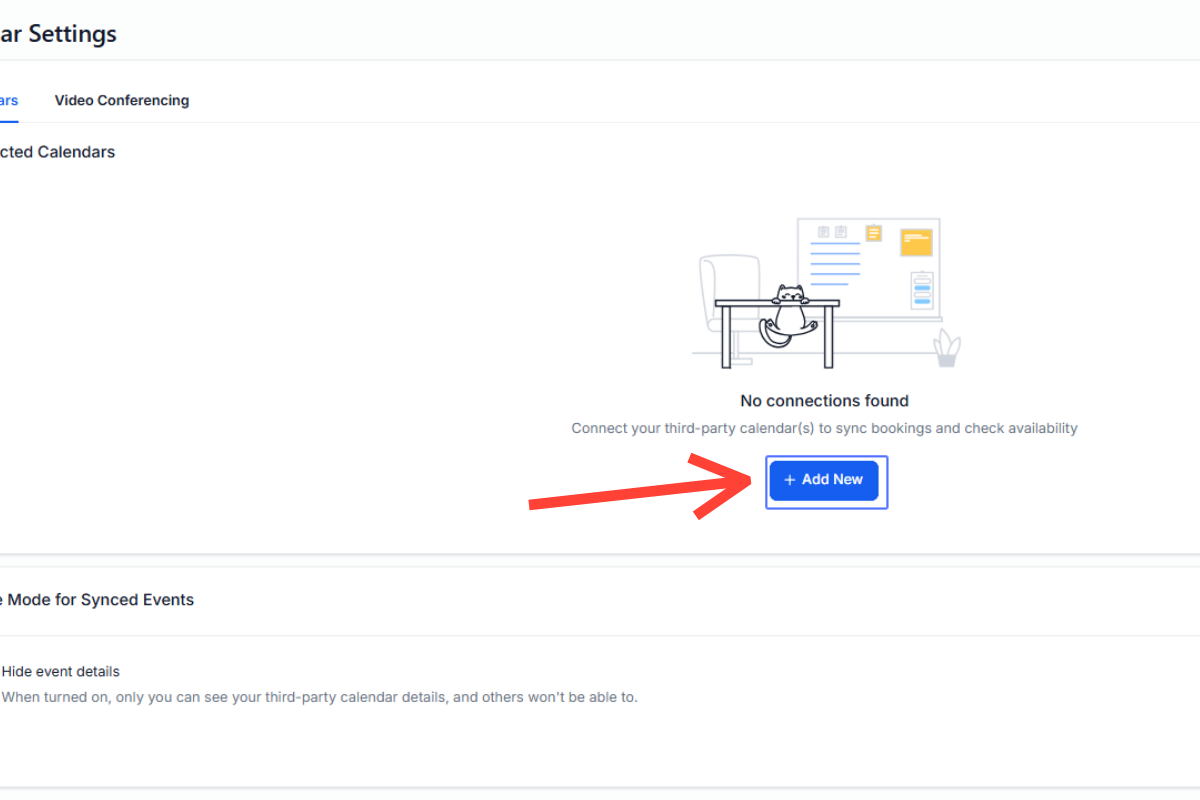
Step 4: You can sync your calendar availability by connecting Google, Outlook, iCloud, or Calendly.
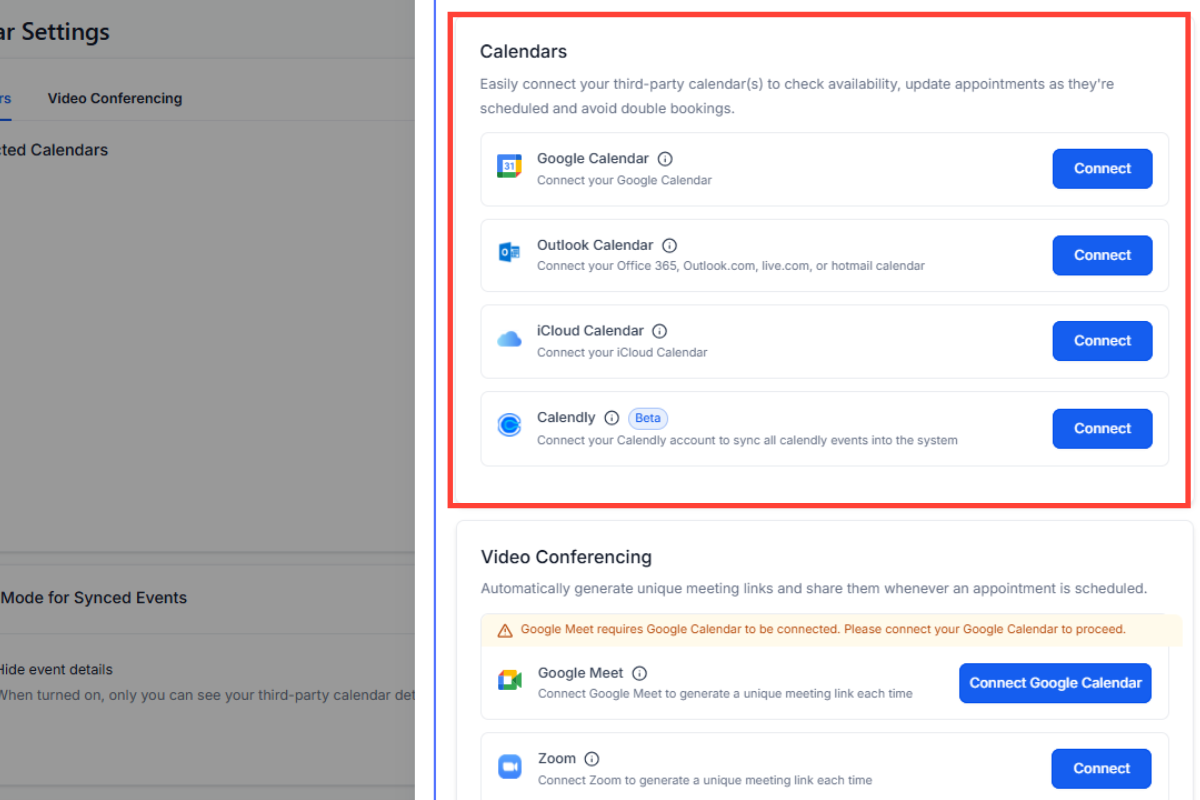
Step 5: Choose your meeting platform. Select Google Meet, Zoom, or Teams and connect your account to start scheduling.